
You know the answer is in there somewhere.
The payment terms. The cancellation clause. The detail that changed between the first contract and the version someone just emailed you.
Finding the right document is one thing. Digging through it to find the information you actually need? That’s another.
That’s where DocuWare Aura comes in.
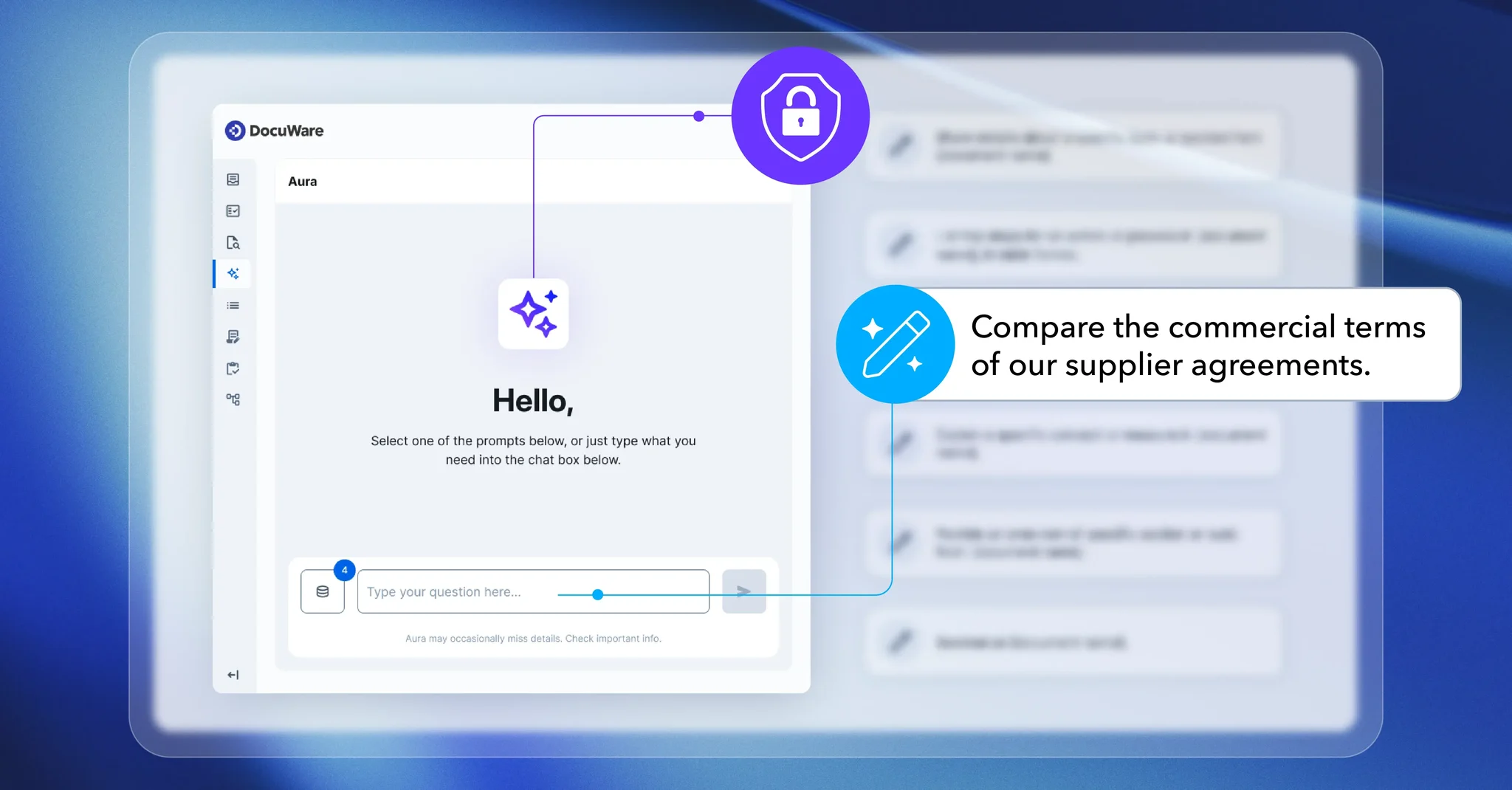
This AI-powered assistant helps your team find answers, summarize documents, and compare information already stored in DocuWare. Just ask a question in everyday language, and Aura helps you get to the details that matter.
Less time searching. More time getting things done.
What Is DocuWare Aura?
DocuWare Aura is an AI-powered assistant built into DocuWare Cloud that helps your team find and understand information faster. Instead of digging through documents, you can ask questions in everyday language and get answers tied to your original files.
If you’re new to DocuWare, it’s a document management platform that helps businesses organize information and manage document-based processes. Aura takes things a step further by helping you understand what’s inside those documents without having to read through every page.
Think about the difference between finding a supplier agreement and understanding what it actually requires of your business. Aura can help with that second step, too.
How DocuWare Aura Helps Your Team Work Smarter
From tracking down contract details to comparing invoices, DocuWare Aura can make everyday document tasks a little easier. Here’s how.
Find Document Information Faster With AI Search
Sometimes you know exactly what information you need, but you have no idea which document contains it.
Instead of guessing the right search terms, you can ask Aura a question in your own words.
For example, your purchasing team could ask about delivery requirements in supplier agreements. Aura can help locate the relevant information without requiring someone to manually review every document.
For questions across file cabinets, Aura searches documents included in the administrator-configured scope and available under your permissions. That means the answers you receive are based on information Aura is authorized to access.
Summarize Long Documents in Less Time
We’ve all been there. You open a lengthy agreement, scroll through page after page, and try to figure out which sections actually matter.
DocuWare Aura can help you get to the important details faster.
It can summarize key points and obligations, giving you a helpful starting point before diving deeper. For example, you might ask Aura to summarize a supplier agreement before a meeting, then follow up with a question about payment conditions.
That means less time reading through lengthy documents and more time focusing on what needs your attention.
Compare Documents and Spot Differences
An invoice, purchase order, and delivery note might all describe the same transaction, but that doesn’t mean the details always match.
Checking those documents side by side can take time, especially when you’re working with multiple files or contract versions.
Aura can help compare related documents and highlight differences worth reviewing. Whether you’re checking transaction details or looking at changes between contract versions, it gives your team a starting point for identifying what needs a closer look.
Your team can then investigate those differences and decide what to do next.
How DocuWare Aura Handles Document Security
When you’re working with contracts, financial records, or employee information, keeping sensitive documents protected matters.
DocuWare Aura works within your existing document permissions, so employees can only access information they’re already authorized to see. Administrators also control which documents are included when Aura searches across file cabinets.
Aura references the original source documents, too. That gives your team a way to check the information behind an AI-generated answer instead of simply taking it at face value.
It’s an important step, especially when reviewing information that could influence financial, contractual, or personnel decisions.
What to Know Before Using DocuWare Aura
Thinking about giving Aura a try? There are a few things worth knowing before getting started.
Aura is available with DocuWare Cloud in the new DocuWare interface. Asking questions about a document that’s already open in the viewer, or documents selected from a results list, doesn’t require the same indexing setup as searching across broader file cabinets.
There’s also a Freemium option with limited usage, along with paid options for businesses that need additional capacity.
One important distinction: Aura helps users find, summarize, and understand information, but it doesn’t move files or execute workflows. Instead, it works alongside DocuWare’s document management and workflow tools to help your team make better use of the information you already have.
Not sure which setup makes sense for your business? Applied Innovation can help you review the requirements and explore your options.
Three Ways to Get Started With DocuWare Aura
Not sure where Aura could make the biggest difference? Start with a document task your team handles regularly.
1. Start with a common question.
Think about information your employees frequently search for, like contract renewal dates, payment terms, or supplier requirements. Try asking Aura a question you would normally spend time digging through documents to answer.
2. Try summarizing a lengthy document.
Have a long contract or agreement to review? Use Aura to get a quick overview of the important details before taking a closer look yourself.
3. Compare documents that belong together.
Look for differences between invoices, purchase orders, or contract versions that might need additional attention. Aura can help identify details worth investigating.
You don’t have to rethink your entire document process overnight. Start small, see where Aura helps, and build from there.
Ready to Spend Less Time Searching and More Time Doing?
Your team has better things to do than hunt through documents for answers.
Whether you’re reviewing supplier agreements, comparing transaction documents, or preparing for a meeting, DocuWare Aura can help make everyday document work a little easier.
And with Applied Innovation by your side, you don’t have to figure it all out on your own.
Our team can help you explore how Aura fits into your existing document management processes and find practical ways to simplify the work your team does every day.
Curious whether DocuWare Aura is right for your business? Let’s talk about how it could fit into your everyday workflows.