
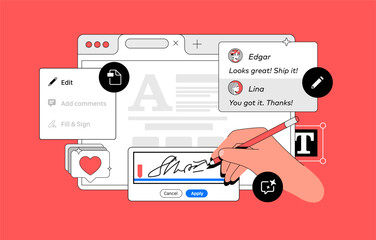
Adobe Acrobat is one of those products that has become almost synonymous with what it does.
Need to edit a PDF? Adobe.
Combine PDFs? Adobe.
Convert something to PDF? Adobe.
At least, that’s how I’ve always thought about it.
Then I started learning more about Tungsten Power PDF, and I had a pretty simple question:
If I’m already comfortable using Adobe Acrobat, why would I switch?
And maybe more importantly, what would I actually be giving up if I did?
So, rather than turn this into a sales pitch for one PDF editor over another, I wanted to look at the question the way I think most businesses should:
What do your employees actually need their PDF software to do, and are you paying for the solution that makes the most sense?
First, What Is Power PDF?
Power PDF is a PDF editing solution from Tungsten Automation designed for many of the same everyday document tasks businesses use Adobe Acrobat for.
You can create and edit PDFs, convert files, combine documents, add comments, work with forms, secure sensitive information, and more.
And that was probably my first realization when I started looking into it:
There’s more overlap between the two than I expected.
Power PDF vs. Adobe Acrobat: The Quick Version
When you compare Power PDF vs. Adobe Acrobat, many of the core features businesses use every day are available in both platforms.
Instead of spending the next several paragraphs comparing features one by one, here’s the easier version:
| Capability | Power PDF | Adobe Acrobat |
|---|---|---|
|
Edit PDFs |
✓ |
✓ |
|
Create and combine PDFs |
✓ |
✓ |
|
Convert PDFs to Word, Excel, or PowerPoint |
✓ |
✓ |
|
Comments and annotations |
✓ |
✓ |
|
Forms |
✓ |
✓ |
|
Redaction |
✓* |
✓* |
|
Digital signatures |
✓ |
✓ |
|
Password and security controls |
✓ |
✓ |
|
Batch processing |
✓* |
✓* |
|
Bates numbering |
✓* |
✓* |
|
SharePoint integration |
✓* |
✓ |
|
Broader Adobe ecosystem |
— |
✓ |
|
Advanced AI/document workspace capabilities |
More limited |
✓ |
|
Licensing options |
Varies by offering |
Primarily subscription |
Features can vary by edition or plan.
The takeaway? For many of the PDF tasks employees use every day, there’s a lot of overlap.
That doesn’t mean the two solutions are identical—or that every feature is available in every edition. But it does mean businesses have a reason to look beyond the familiar choice and compare what they actually need.
That’s why I don’t think the most useful question is, “Which one has more features?”
It’s:
“Which features are we actually using?”
Where Power PDF May Get Interesting: Licensing Costs
This is where my product marketer brain immediately went.
A difference in the cost of one software license might not seem significant.
But multiply that across 50 employees.
Or 100.
Or 500.
Suddenly, understanding what you’re paying for, and whether everyone needs the same level of PDF software, becomes a much more interesting conversation.
That’s especially true if most employees are primarily using their PDF software to edit, convert, combine, annotate, redact, or sign documents.
If that’s the case, an Adobe Acrobat alternative like Power PDF may be worth evaluating.
Not because Adobe isn’t a strong product.
It’s simply because another option may fit the work your employees are actually doing.
The important part is comparing current licensing options based on the editions, number of users, and capabilities your organization actually needs, not just the price attached to a single license.
Okay...What’s the Catch?
This was important to me because no software comparison is as simple as:
This one does the same stuff and costs less. The end.
Adobe Acrobat may still make more sense for some organizations.
If your business is heavily invested in Adobe’s broader ecosystem, relies on specific Adobe workflows, uses advanced e-signature capabilities, or wants access to its growing AI and document workspace tools, those differences matter.
There’s also a very practical consideration:
People already know how to use Adobe.
Switching software, even to something with similar capabilities, can require communication, training, and a little patience.
Power PDF doesn’t have to beat Adobe at absolutely everything to be worth considering.
It needs to do what your employees need it to do.
The Questions I’d Ask Before Switching
Before comparing every feature or looking at pricing, I’d start here:
What are our employees actually using Acrobat for?
Are they:
- Editing PDFs?
- Combining documents?
- Converting files?
- Redacting information?
- Filling out forms?
- Adding signatures?
- Making comments and annotations?
Or are they relying on more advanced Adobe-specific capabilities?
That distinction matters.
Because if most of your users need a handful of everyday PDF tools, that’s a very different software conversation than an organization that’s deeply embedded in the Adobe ecosystem.
And you may even find that different users have different needs.
Before making a switch, I’d ask a few more questions:
- Which Acrobat features do employees use regularly?
- How many users actually need advanced features?
- Are there Adobe-specific integrations or workflows the business depends on?
- What would migration and employee training require?
- How do the licensing options compare at your number of users?
- Could different groups of employees use different PDF solutions?
You don’t necessarily need the PDF editor with the longest feature list.
You need the one that makes sense for the way your people work.
So, Is Power PDF Worth the Switch?
For many organizations, I think the better answer is:
It’s absolutely worth evaluating.
That doesn’t mean every business should immediately replace Adobe Acrobat.
It means you shouldn’t assume Adobe is your only option simply because it’s the option you’ve always used.
And that’s probably my biggest takeaway from learning more about Power PDF.
I started with:
“Can this really replace Adobe?”
But I think the better question is:
“Are we paying for the PDF solution that actually fits the way our people work?”
Before automatically renewing another year of licenses, it might be worth finding out.
Wondering If Power PDF Is Right for Your Business?
Applied Innovation can help you look at your current PDF software needs, understand how employees are actually using it, and determine whether Power PDF could be a good fit for your organization.
Talk with our team about Power PDF and see whether making the switch makes sense for your business.